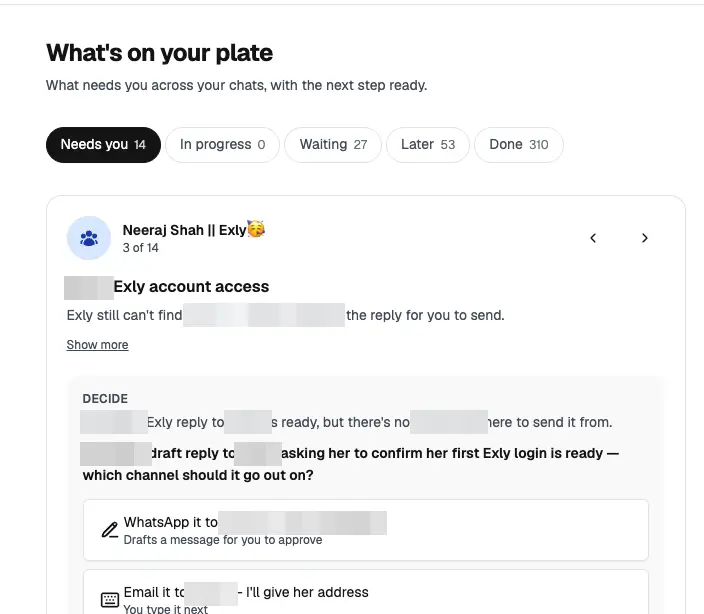
An AI assistant in your own WhatsApp that reads your chats, tells you what's open, drafts your replies and waits for your approval. Here is exactly how I set mine up, with my real screens.
The tool is Perisclaw. That button is an affiliate link: if you sign up through it, I may earn a commission, at no extra cost to you.
You already open WhatsApp more than any other app. Your clients are there, your team is there, your family is there. So the assistant sits there too, and you message it the way you'd message an executive assistant, by typing or by voice note.
Asks, promises and replies I'm waiting on, across every chat and group.
It writes the message, shows me, and sends only when I approve.
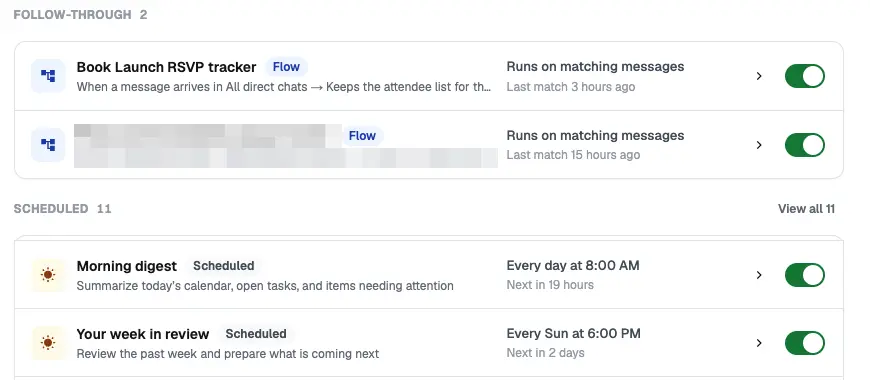
8 AM: what's on my plate. 8 PM: what got done and what's still open.
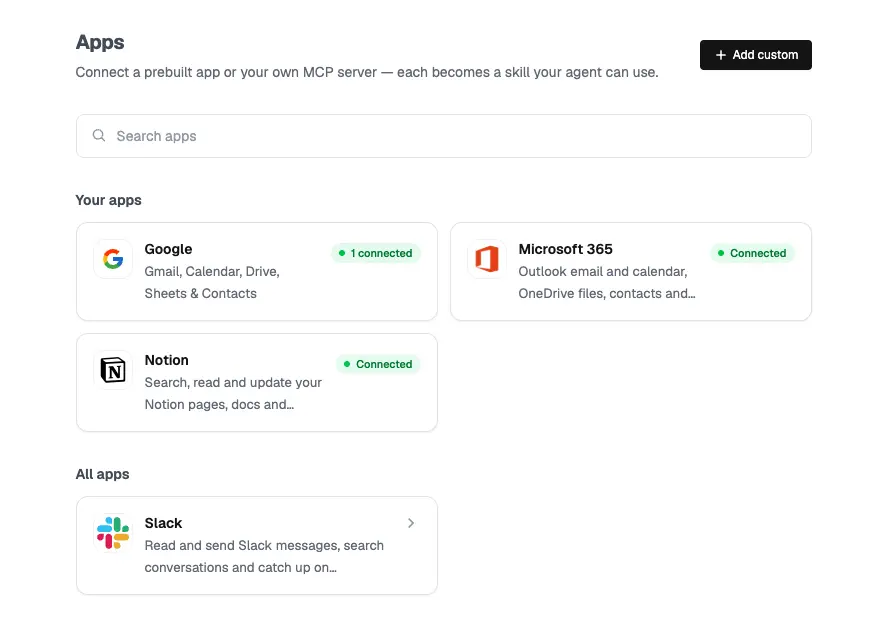
"Book a Zoom on Tuesday at 4pm in my Outlook", and it's in.
"Log this person as a sales lead", straight into my pipeline.
Who my clients are, which groups matter, whose messages always come first.
You need your phone with WhatsApp, and a laptop if you have one. Steps 1 to 3 take about five minutes, and you'll have your first list of open loops before you've finished your chai.
You'll see: it replies and starts a short welcome. This chat with yourself is where it lives. You talk to it here.
Answer the third with a voice note. Say what your business is, which groups are clients and which are friends, and what you never want to miss.
Send: "What needs my attention today?"
You'll see: a list of what's open across your chats. Mine came back with my to-dos and who I was waiting on.
Then send it one line: "My main calendar is Outlook" (or Google). It saves you a mix-up later.
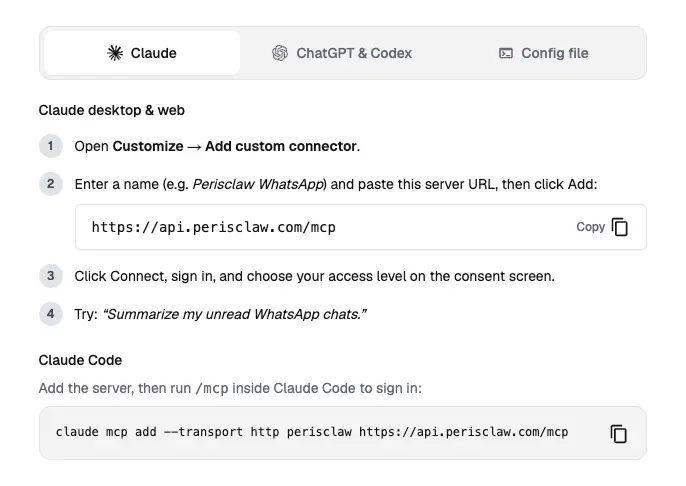
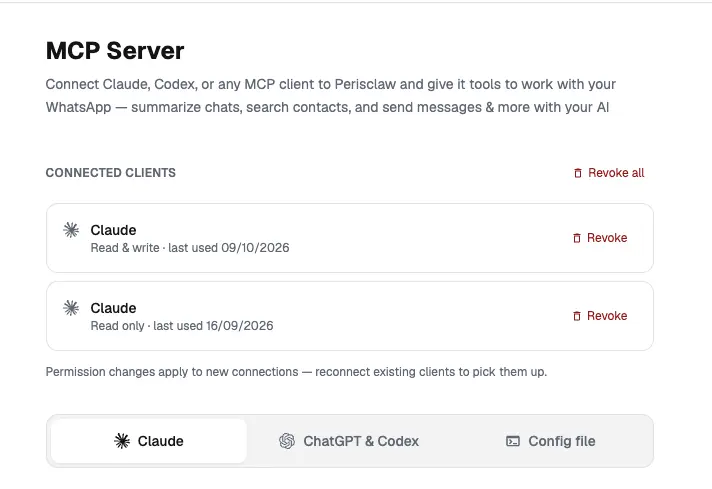
Using Claude Code? Run claude mcp add --transport http perisclaw https://api.perisclaw.com/mcp, then /mcp to sign in.
An assistant that doesn't know your world sends generic updates. Send it plain messages like these, one at a time:
And the one that matters most: "If my son sends any message, always tell me immediately."
Any chat it should stay out of? Mark it off-limits under Permissions in the dashboard and it won't read it at all.
When you ask from your self-chat for something that goes to someone else, it shows you the draft first. That's built in. React 👍 or ✅, or reply send. Drafts wait for up to 24 hours.
A /claw request inside another chat acts there straight away, with no draft. So ask for anything that goes to other people from your self-chat. I learned this in my first week, when it posted my instruction to two groups instead of the message I wanted.
Across your chats it can read, but never sends anything on its own. Mark a chat off-limits and it won't read it at all.
Before it messages anyone for you, the draft comes to your self-chat and waits for your OK.
Payments and binding promises always come back to you for approval, even in autonomous mode.
Never used to train AI. Each session runs in its own sealed environment, encrypted with per-user keys.
GDPR compliant and certified to ISO/IEC 27001:2022.
BlockedStays out completely.
On requestThe default. Acts only when you /claw it.
AutonomousOnly for chats you hand over.
These are Perisclaw's own commitments, from the Security page on perisclaw.com, October 2026.
Free for 7 days, no card needed. Then $15 a month at the current alpha price (listed at $20). One plan, everything included.
Use it for seven days on one routine, the 8 AM briefing. If by day seven you aren't reading it before your inbox, it isn't for you, and the week cost you nothing.
Your clients, team and family already message you on WhatsApp.
Most of your work happens on email or Slack. You'll get less out of it.
Affiliate link. If you sign up through it, I may earn a commission, at no extra cost to you. I recommend it because I use it every day to run my business.
| Use it for | Send this in your self-chat |
|---|---|
| Tomorrow's plan | What meetings do I have tomorrow? |
| Draft a reply | Draft a reply to [name] about [topic]. Show me the draft first. |
| Follow up | Draft a gentle follow-up to [name]. We were meant to speak last week. |
| Watch for a reply | Keep track of what [name] replies and tell me when they confirm. |
| Book a meeting | Book a 45-minute Zoom with [name] on Tuesday at 4pm in my calendar. |
| Time zones | Convert 10:30am Kenya time into IST. |
| Log a lead | Log [name] as a sales lead in my Notion pipeline. I spoke to her today. |
| Set a reminder | Remind me to call [name] on Monday at 11am. |
| Check first | Check the chat with [name] before you tell me this is still open. |
| Find something | What did [name] say about the invoice last week? |
Free for 7 days, no card needed. Then $15 a month at the current alpha price (listed at $20), as of October 2026. One plan, everything included.
Not from your self-chat. When a request would send to someone else, it shows you the draft first, and you approve with 👍, ✅ or the word send. A /claw request inside another chat acts there straight away.
It reads your chats so it knows what's open, but it never sends anything on its own, and you can mark any chat off-limits so it isn't read at all. Perisclaw says your data is never used to train AI, and it is GDPR compliant and certified to ISO/IEC 27001:2022.
No. The assistant works on its own inside WhatsApp. Connecting Claude is optional: it lets you ask Claude about your chats and have it draft replies.
Yes. If you sign up through a link on this page, I may earn a commission, at no extra cost to you.
The bigger win is AI that already knows your clients, your offer and your voice. In 30 minutes we'll look at where your week goes, what AI should take off your plate first, and what to build. You'll leave with a clear first step, whether or not we work together.
Prompts are what you type. An operating system is what you build.