This is the companion to how to run your business on AI. That piece is the part that lasts: the diagnostic for where AI belongs, the org chart that replaces prompting, and the four agents worth building first. Read it first if you have not, because a stack without that underneath it is just an expensive subscription list.
This piece is the part that goes out of date. Every tool here is current as of August 2026. Some of these names will be wrong within a year, and the connectors change monthly. That is exactly why the two pieces are separate.
One rule before the list. Do not adopt nine tools. Adopt the first one, get a workflow running end to end, and only add the second when you hit something the first genuinely cannot do.
What does Claude Cowork do that a chatbot cannot?
Quick Answer: It works on your actual files and tools rather than in a chat window. It reads and edits documents on your computer, connects to your Drive, Notion, calendar and inbox, and moves work between them. With a browser chatbot, you copy the answer out by hand. That copying is the whole difference.
Cowork is the desktop product, and people miss that the web version is a different thing. The distinction is not marketing.
With a browser chatbot you ask, you get an answer, and then you carry that answer by hand to wherever the work actually lives. The thinking happens in one place and leaks out to your real tools through manual labour. With Cowork the work happens where it needs to end up.
That is what makes the general manager idea real rather than a metaphor. It reads files. It edits them. It saves them. It connects natively to Google Workspace, Notion, Gmail and a growing list of others, and where a native connector does not exist yet you bridge with an automation tool.
Your first action: install the desktop app rather than using the browser, point it at one folder, and ask it to do something to a file rather than to tell you about one.
Where should the business actually live?
Quick Answer: In Notion, as a command centre rather than a document store. Drive and OneDrive are warehouses: good at holding files, incapable of telling you what is going on. A command centre tells you registrations, overdue follow-ups, client stages and pipeline at a glance, and the AI updates it for you.
I treated Notion as a nice-to-have for two years and I was wrong about it.
The distinction that changed my mind is warehouse against dashboard. Drive stores things. It cannot tell you the state of your business. Notion is built for exactly that, and once an AI is writing into it, it stops being something you maintain and becomes something that maintains itself.
Mine tells me, on any morning: how many registrations the next webinar has, which follow-ups are overdue, which one-to-one clients are at which stage, who is waiting to be onboarded, what is on this week, and what moved in the pipeline.
The detail that matters most is the failure handling. When a connector breaks, and they do, Notion messages me to say which tool failed and which data is now stale. I do not monitor the system. The system tells me when it needs me.
I run mine on the free plan, which is enough.
Your first action: build one page showing the five numbers you currently check by opening five different tools. Just the page, by hand, this week. Automate it after it has proved useful.
Which AI should I use for deep research?
Quick Answer: Gemini Deep Research, and not the model you use for everything else. Google has indexed the web for over twenty years, and that index is what Gemini reaches into. For multi-source strategic research it synthesises more deeply than the alternatives, and the output saves straight into Drive as permanent context.
I use Claude to run the business and Gemini to find things out. Using one tool for both jobs is a common and expensive mistake.
The reason is structural rather than a matter of taste. That two-decade index is the substrate. It handles hundreds of sources at once, including video transcripts, and the current models take text, images, audio and video natively.
I have tested this against the obvious alternatives for deep strategic work and Gemini wins on depth of synthesis. The second reason I keep it is that a report I want to keep saves into Drive in one click, which means it becomes part of the context every other tool can reach.
Your first action: take the research question you have been putting off because it needs a week, and give it to Deep Research instead. Judge it on whether the sources are real, not on whether the prose is nice.
How do I stop AI making things up about my own business?
Quick Answer: Constrain it to sources you have approved. Every large model hallucinates, including the good ones. NotebookLM answers strictly from documents you upload and says so when the answer is not in them. For anything customer-facing about your own offers, that constraint is the difference between useful and dangerous.
Every large language model makes things up. Claude does it. ChatGPT does it. Gemini does it. They invent citations and state wrong numbers with total confidence.
For casual use that is an irritation. For a business it is a real risk, and you will understand why the first time a model tells a prospect something wrong about your own offer in your own voice.
NotebookLM is the way around it, and it is free. You upload only what you trust: your white papers, your internal documents, your past posts, your call transcripts. I put my own book in mine. It will not reach outside those sources, and when it cannot find an answer it tells you rather than inventing one.
I use it three ways: research where I want the inputs constrained, as the source of truth for my own voice, and to build slide decks where every slide comes from my own material and therefore cannot drift.
Your first action: upload your five best existing documents and ask it a question you already know the answer to. You are testing whether it refuses to guess, not whether it is clever.
Can I really build my own software now?
Quick Answer: Yes, and faster than the quote you would get. Google AI Studio builds working applications from a description. Bolt does the same for landing pages. Shubham Mittal, a chartered accountant who had never written a line of code, had a working carousel generator by the Friday after a Thursday lunchtime call.
Shubham coaches chartered accountants and wanted an app that turned his brand documents into branded carousels automatically. A year earlier that meant hiring a developer, scoping it, paying somewhere between two and ten lakhs, and waiting six to ten weeks for something whose requirements had moved by the time it shipped.
We spoke at noon on a Thursday. I walked him through what to build and how to structure the request. By Friday it worked: it read his brand documents, pulled out his audience, his core problem, his voice and his mechanism, and generated a six-slide carousel in his colours with a regenerate button on every slide. PDF for LinkedIn, images for Instagram.
Bolt does the same job for web pages. I describe the page, paste in the current offer detail and transcripts of recent client calls so the language matches what real prospects say, and it builds. Changes are spoken rather than coded. I rebuilt a whole programme page in the five minutes before a session, with current pricing and payment links live.
The barrier is no longer technical skill. It is knowing what to build, which is a strategy question you are already qualified to answer.
Your first action: describe the smallest internal tool you have wanted for a year, in one paragraph, and give it to AI Studio. Expect the first version to be wrong and the second to be usable.
How do I make AI images that look like my brand?
Quick Answer: Feed the model your brand guidelines and your existing visuals rather than describing a style in words. Generic prompts produce generic images. The spelling problem that made AI text unusable is largely solved, so words inside images can now be trusted, which was not true a year ago.
Nano Banana Pro sits inside both Gemini and NotebookLM and does almost all of our visual work.
Two things worth knowing. The first is that older image models could not spell, and text inside an image came out as gibberish. That is largely fixed, and it changes what images are for, because a diagram with correct labels is worth something that a decorative picture is not.
The second is consistency. Generic AI imagery looks generic, and readers now recognise it instantly, which costs you more credibility than having no image at all. The fix is feeding the model your actual brand guidelines and your existing library rather than adjectives.
Ours is a cream notebook look, hand-drawn and slightly imperfect. Carousels in that style outperform single images on my feed by 2.6 times, and the visual signature is part of why the work gets remembered.
Your first action: put your brand guidelines and six of your best existing graphics into one folder and reference it in every image request from now on.
What do I do when a tool will not connect?
Quick Answer: Bridge it with Make or Zapier. Native connectors cover a growing list and will never cover everything, and new ones arrive half-finished. Make handles complex multi-step workflows better. Zapier is quicker for one or two steps. Running a business on AI means permanently plugging these gaps.
Native connectors are the first choice and the list grows every week. Connectors also break, and new ones ship with rough edges.
I use both bridges. Make is stronger for anything with several steps and conditions. Zapier is faster to set up when you want one thing to trigger another. For Outlook specifically I route through Make, because Zapier's task limits are a fight I would rather not have.
The tool choice matters less than accepting the pattern. Once you commit to running the business this way, you have also committed to keeping the loops closed as connectors come and go. That is maintenance, and it is the honest cost nobody mentions.
The detail that makes it survivable is the alerting I mentioned above. When a workflow runs and comes back with stale data, the command centre tells me which step failed. Without that, you find out when a client does.
Your first action: list the tools your business depends on that your AI cannot reach yet. That list is your bridge queue, and it is usually shorter than you fear.
What is an MCP server, in plain English?
Quick Answer: A kitchen. A skill is the recipe, telling the AI how to do something step by step. An MCP server is the kitchen, the tools and data it needs to actually cook. Your AI is the head chef: it reads the recipe, walks into the right kitchen, and produces the dish.
People hear the acronym and stop listening, which is a shame, because the idea underneath is simple.
Picture several kitchens. One set up for Chinese, one for Indian, one for continental. Each has its own pans, ingredients and tools.
The skill is the recipe. It tells the model how to do something, step by step.
The MCP server is the kitchen. It is the set of tools and data the model needs to execute that recipe.
Your AI is the head chef. It reads the recipe, goes to the right kitchen, picks up the right tools, and cooks.
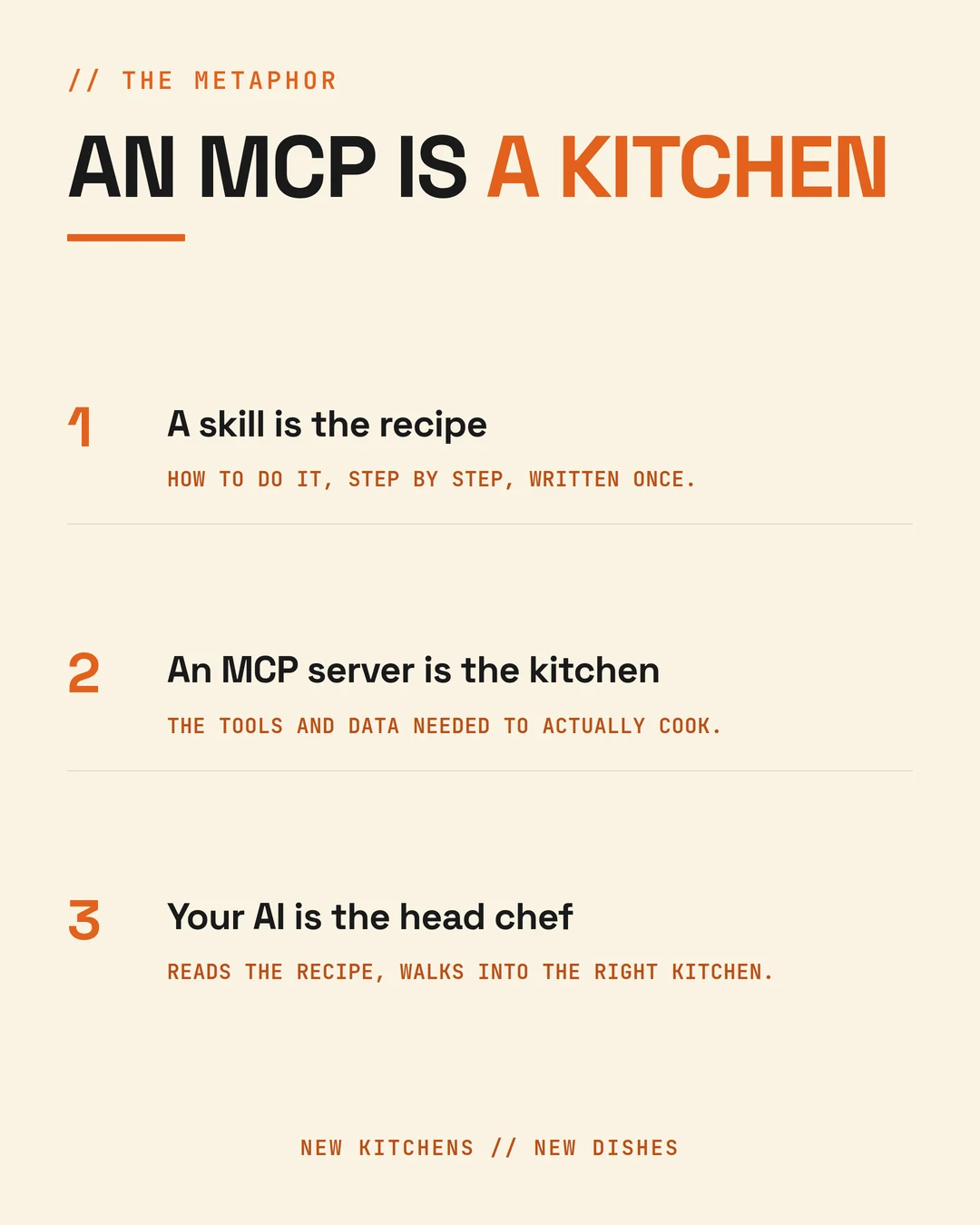
Once that lands, the rest is obvious. Different jobs need different kitchens: research wants the web, document work wants your Drive, anything about clients wants your CRM. Connecting a session to a new MCP server means handing your general manager the keys to another kitchen. New kitchens, new dishes.
Your first action: connect one MCP server for the tool you use most and give it a task that needs live data rather than general knowledge. That is the difference you are testing for.
FAQ
Do I need all nine of these tools to start? No, and starting with nine is the most common way to stall. Begin with the desktop assistant and one folder of context. Add a tool only when you hit something the current setup genuinely cannot do. Most people get real returns from the first two before they need the rest.
Why use different AI models for different jobs? Because they are genuinely better at different things and betting everything on one is a risk without a reward. Research goes to the tool built on a twenty-year web index. Business operations go to the tool that can edit your files. Constrained answers go to the tool that refuses to guess.
What does this stack cost per month? The paid tiers of the main assistant and a research tool are the bulk of it, roughly a hundred dollars a month for a serious plan. NotebookLM is free, Notion is usable on the free plan, and the automation bridges have free tiers that most small businesses do not outgrow quickly.
How often does a stack like this need rebuilding? Expect meaningful change every quarter and a significant rebuild once a year. That is why the durable half of this method lives in plain text files rather than inside any of these products. Tools are replaceable, and treating them as permanent is how people lose their work.
Is Notion better than Google Drive for this? They do different jobs and you will probably keep both. Drive stores files well. Notion shows state, which is what you need when you want one page that tells you where the business is this morning. Storage and visibility are not the same requirement.
Which of these are free? NotebookLM is free. Notion has a free plan that runs a full command centre. Google AI Studio is free to build in. Make and Zapier both have free tiers. The paid ones worth paying for are the main desktop assistant and deep research, and that is where I would spend first.